Your Data, Your Device.
A secure, local-only password manager built for true privacy. AES-256-GCM encryption with Argon2id key derivation. No cloud. No tracking. No compromises.
Interface & Screenshots
Explore SecureVault's clean, modern interface designed for effortless local password management. Click any image to view in full size.
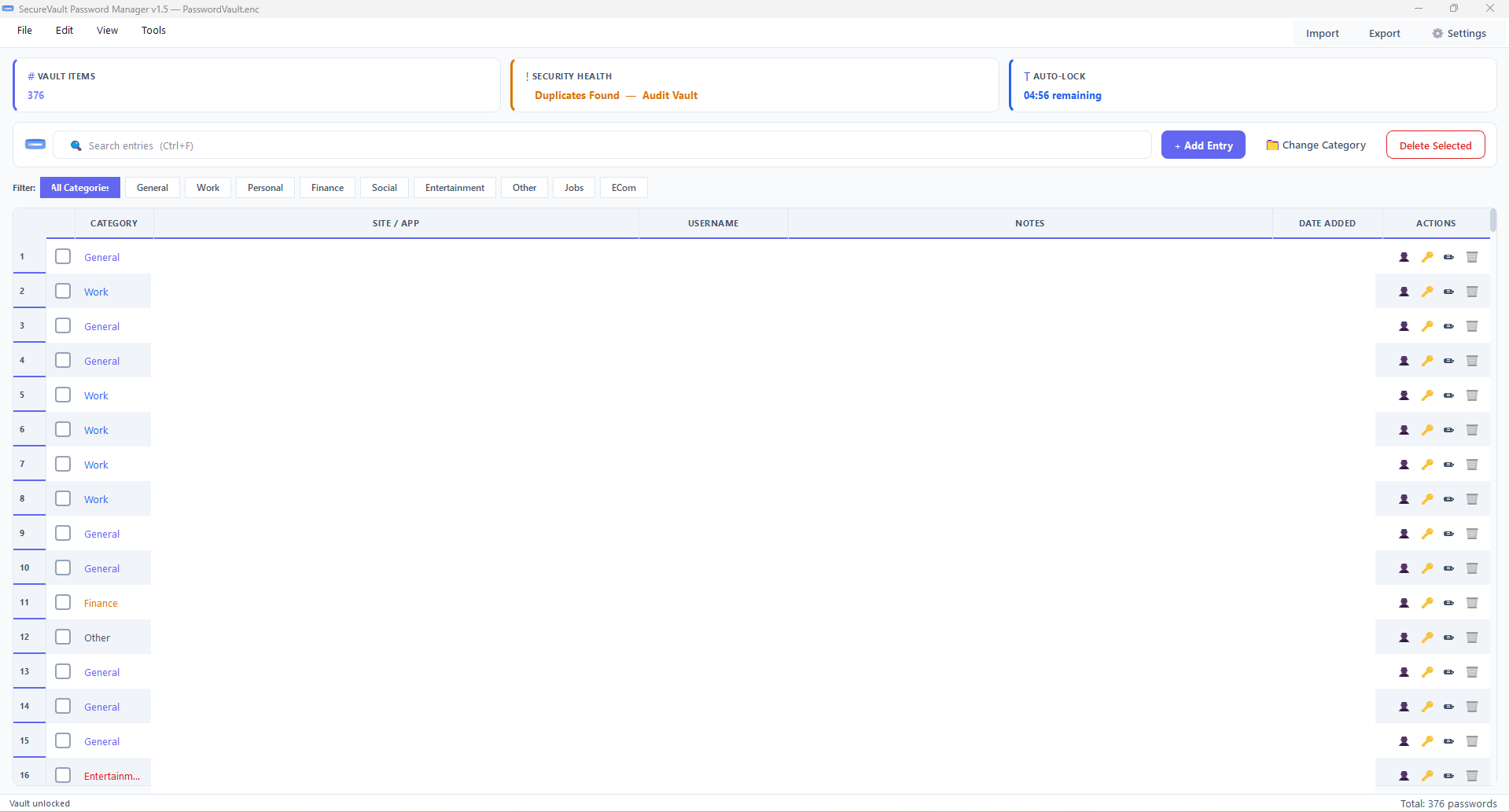
Main Vault Dashboard
Streamlined table view with category filtering, instant search, dynamic column auto-resizing, and quick-copy action buttons.
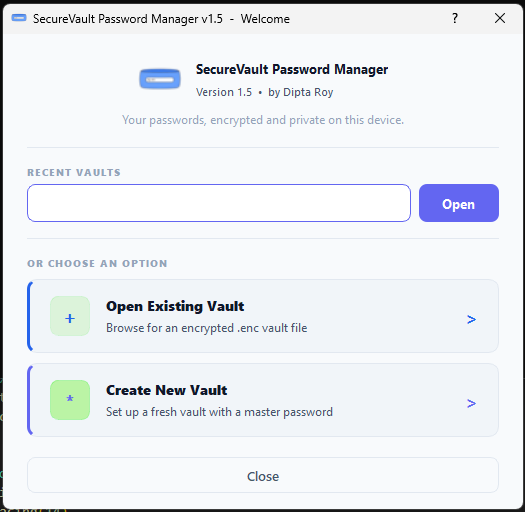
Welcome & Vault Launcher
Create new encrypted `.enc` vault files or launch recent local vaults with one click.
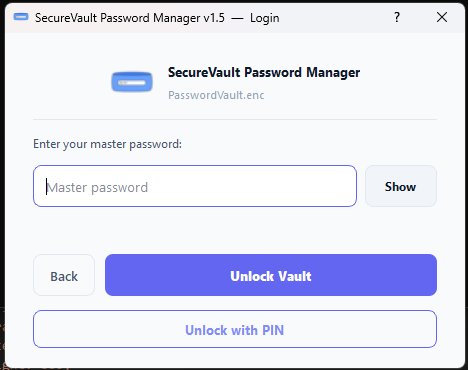
Master Password & Biometrics
Argon2id key derivation, real-time password strength evaluation, and optional Windows Hello / DPAPI biometric unlock.
Interactive Security Playground
Experience SecureVault's client-side cryptographic utilities directly in your browser.
Cryptographic Password Generator
Generate secure passwords using client-side Web Crypto API.
Real-time Entropy Evaluator
Test how SecureVault calculates password entropy bits offline.
Uncompromising Features
100% Offline
No network calls, no telemetry, no cloud syncing. Your encrypted passwords never leave your device.
Military-Grade Encryption
AES-256-GCM authenticated encryption paired with Argon2id key derivation protects against brute-force attacks.
DPAPI Biometric Auth
Unlock using Windows Hello or PIN. Secrets are encrypted on disk via Windows DPAPI.
Custom Categories & Filter Pills
Organize credentials with custom category pills, dynamic category management, and single-click filtering.
Entropy Meter & Audit
Real-time entropy password strength evaluation, weak/reused password auditing, and historical modification tracking.
Browser & CSV/JSON Imports
Extract Chrome/Edge passwords safely or import/export via Bitwarden-compatible CSV and JSON files.
Engineered for Absolute Privacy
We believe your digital life belongs to you. SecureVault is built from the ground up to keep your sensitive data completely offline, secure, and under your absolute control.
- Constant-time comparisons (`hmac.compare_digest`) to prevent timing attacks.
- Strict file permissions (owner-only R/W) and Windows ACLs via pywin32.
- Memory zeroing of sensitive variables upon vault lock.
- Atomic file saves using `.tmp` files to prevent vault corruption.
- 32-byte random salts and 12-byte nonces generated via cryptographic RNG (`os.urandom()`).
Technical Specifications
Modular Architecture
Built on Python 3.10+ and PyQt5. Modular package architecture separating UI, cryptography, storage, widgets, and biometric auth.
Vault Storage
Data is stored in `~/.securevault/vault.enc` as AES-GCM encrypted JSON with entry categories and password history support.
Key Derivation
Uses Argon2id (time_cost=2, memory_cost=65536) for memory-hardness, falling back to PBKDF2-HMAC-SHA256 (310,000 iterations) if needed.
DPAPI Biometric Protection
Windows Hello biometric integration protecting derived keys in `biometric.json` via Windows DPAPI (`win32crypt`).
Browser & CSV/JSON Adapters
Extracts Chromium/Edge passwords via DPAPI. Supports Bitwarden CSV and JSON imports and exports.
Standalone Executable
Packaged as a standalone executable via PyInstaller (`password_manager.spec`) with full automated test suite coverage (`run_tests.bat`).
Frequently Asked Questions
Yes, completely. SecureVault contains zero networking code, no analytics SDKs, and no telemetry calls. Your database file (`.enc`) is saved strictly on your local disk.
Because SecureVault uses zero-knowledge AES-256-GCM encryption, your master password is never stored anywhere. If you forget your master password and have not enabled Windows Hello / DPAPI biometric unlock, your data cannot be recovered.
When biometric unlock is enabled, SecureVault uses Windows Data Protection API (DPAPI) to encrypt a vault-specific key tied to your Windows user account credentials and Windows Hello PIN/fingerprint hardware.
Yes! SecureVault includes direct Chromium browser import (reading local encrypted Chrome/Edge profiles) as well as Bitwarden CSV and JSON importers.